LG GERP API
LG GERP API — Developer Handover
Purpose: This document hands over the LG ↔ GERP integration APIs implemented in the lg Frappe app. It explains where code lives, what each function does, request/response formats, Postman collection, error handling, security, test cases, deployment notes and suggestions for future work. This is written for developers who will maintain or extend the integration.
1. Repositories & file locations
App repo (on server):
~/frappe-bench/apps/lgPrimary API file:
/home/extension/frappe-bench/apps/lg/lg/api/master_api.pyPostman documentation / collection (shared):
https://www.postman.com/warped-crescent-763655/workspace/lg-api-documantation/collection/25861876-06b50137-4cff-4490-9624-125131d3e7b4?action=share&source=copy-link&creator=25861876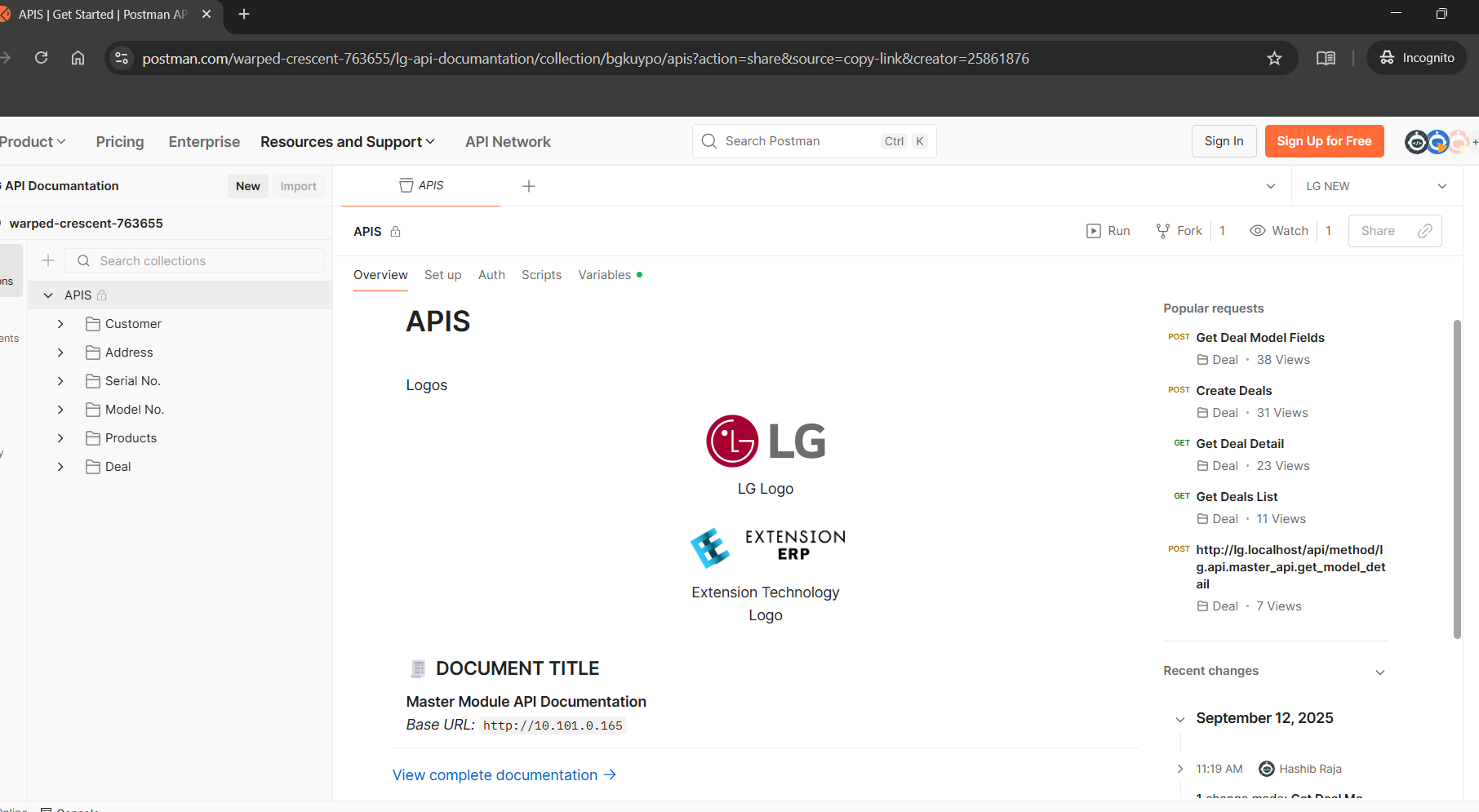
Clone or open the
lgapp inside a local bench workspace to run tests and inspect commits.
2. Overview — What the API does
The LG API is a fully dynamic integration layer that allows external systems (GERP) to create, update and fetch Frappe doctypes such as Opportunity (CRM Deal), Customer, Address, Product, Model, Serial Number and others. The API intentionally supports generic model based payloads so it can create any doctype with the right input structure. There is special handling for CRM Deal (named CRM Deal in the code) because it has nested/linked data and stricter validations.
Key goals implemented:
Dynamic metadata-driven mapping — endpoint can return a model schema (via
get_model_detail) so external systems know required fields and child-table structures.Create-or-update flows based on an ID field (the API checks for existence and updates instead of duplicating records).
Recursive handling of nested foreign-key objects and table child rows.
Multi-level validation for mandatory fields and data formats.
A Postman collection documents all endpoints and example payloads for consumers.
3. API endpoints (functions exported)
All endpoints expect POST requests (JSON body) and are exposed via Frappe's whitelist routes.
create_record()Path: depends on your site routes (e.g.
/api/method/lg.api.master_api.create_record).Purpose: Generic record create/update endpoint for any doctype.
Input JSON (minimum):
{
  "model": "Customer",
  "data": { /* doctype fields */ }
}
Special-case:
CRM Dealflows usehandle_crm_dealfor rigorous validation and nested handling.Response:
{ status: 'success', data: { model, data, doc } }or error object with HTTP 400.
get_model_detail()Purpose: Returns a metadata object that describes a doctype's fields (filtered & transformed for API use).
Input JSON:
{ "model": "Customer" }.Response: A list of field descriptors (field api_key, label, fieldtype, options, mandatory flag, and nested fields for child tables).
Utility functions (internal, non-whitelisted):
get_doc_and_return_detail_fields(doctype)— orchestrates building of the metadata for a model.get_fields_by_doctype(doctype, ...)— reads frappe meta and maps fields into the API-friendly shape.check_table_or_return_same_fields(field, ...)— handles child-table recursion.create_mapped_fields(fields, field_name)— filters and maps meta fields into theapiview.transform_key/transform_value/check_availble_field/check_not_availble_field— helper transformers & filters used while shaping the schema.
4. How the dynamic create flow works (detailed)
create_record()validates it's aPOSTand JSON body exists.It extracts
modelanddatafrom the request body.If the model is
CRM Deal, it callsget_doc_and_return_detail_fieldsto fetch the expected fields and thenhandle_crm_deal(document_data, schema, doctype)to perform:Mandatory fields verification.
Per-field validation depending on
fieldtype(primitive, foreign key, table).For Foreign Key fields: expects a nested dictionary describing the linked doctype. It will recursively call
handle_crm_dealfor that linked doctype and return the saved document identifier (so the top-level document can reference it). The code attempts to find anid_fieldin the linked doctype for existence check.For Table fields (child tables): expects a list of row objects (dictionaries). Each row is validated and nested foreign-key processing is applied if a child field has
Foreign Keytype.After validation and recursive saving/updates, the function tries to find an
id_fieldfor the current doctype to decide whether to update or insert:If the record exists (via
frappe.db.exists(doctype, id_value)), it updates (get_doc(...).update(...).save()).Otherwise it creates a new doc (
frappe.new_doc(...).update(...).insert()).
For all other doctypes (non-CRM Deal),
create_record()simply setsdocument_data['doctype'] = doctype, creates a doc viafrappe.get_doc(document_data)and callsinsert().
5. Example payloads
Generic doctype creation (simple)
POST /api/method/lg.api.master_api.create_record
{ "model": "Customer",
  "data": {"customer_name": "LG Store Pune", "customer_group": "Commercial"}
}
CRM Deal (complex with nested foreign key and table)
POST /api/method/lg.api.master_api.create_record
{
  "model": "CRM Deal",
  "data": {
    "deal_id": "LG-DEAL-123",            // if id_field is configured this is used to update
    "customer": {                          // foreign key — object with its own id_field
       "customer_name": "LG Dealer X",
       "email_id": "dealerx@example.com"
    },
    "items": [                            // table — list of rows
      {"item_code": "MODEL-001", "qty": 10},
      {"item_code": "MODEL-002", "qty": 5}
    ]
  }
}
Use
get_model_detailto fetch the correctapi_keynames and which child fields are mandatory for theCRM Dealmodel before callingcreate_record.
6. get_model_detail — metadata format
get_model_detail() returns a list of field descriptors. Example shape (simplified):
[
  {"api_key": "customer", "label_name": "Customer", "fieldtype": "Foreign Key", "options": "Customer", "mandatory": "Yes", "fields": [ /* nested fields if FK or child table */ ]},
  {"api_key": "items", "label_name": "Items", "fieldtype": "Table", "options": "Sales Invoice Item", "mandatory": "No", "fields": [ /* child fields */ ]},
  {"api_key": "deal_value", "label_name": "Deal Value", "fieldtype": "Number", "mandatory": "No"}
]
The doc meta is transformed: ERPNext Data/Link/Select/Int/Check types are mapped to String/Foreign Key/Dropdown/Number/Boolean for clarity.
7. Error handling & logging
The code wraps endpoints in
try/exceptand on exception:Calls
frappe.log_error(frappe.get_traceback(), "Test API Error")to push the error to the Frappe desk error log.Sets
frappe.response.http_status_code = 400and returns{"status": "error", "message": str(e)}.
Notes:
Error messages are thrown with
frappe.throw()for validation failures; these bubble up to theexceptblock and are logged.For production safety, consider returning standardized error codes and messages rather than raw exception strings.
8. Security considerations
Authentication: Ensure Frappe authentication is required for these endpoints. If used by external GERP system, create an API key user for GERP and document the API key/secret usage. Example approaches:
Use Frappe token-based auth (API key & secret on the user record).
OR use an IP-restricted service user + API key.
Validation & Whitelisting: The
create_recordendpoint is powerful. Limit which doctypes can be created/updated by checkingmodelagainst a server-side allowlist (e.g.,ALLOWED_MODELS = ['Customer', 'Address', 'CRM Deal', 'Item', 'Serial No']). Right now the code is fully dynamic — that increases risk.Rate limiting & abuse: Add simple rate limiting for external IPs or an API gateway to protect from accidental floods.
Input sanitization: The code already validates structure, but ensure no risky fields (like system fields
owner,role, etc.) are writable by external client. Fields to hide are already listed inhide_fields; ensuredocument_datacannot override those.Audit & logging: Maintain request logs (request payload + user IP + API user) for traceability. The existing
frappe.log_erroris for exceptions — addfrappe.logger().info()calls for successful actions if needed.
9. Postman collection
The provided Postman collection URL describes all API endpoints and payload examples. Keep it in sync with code changes.
Suggested: export the collection as JSON and add it to the repo under
/docs/postman/lg-api-collection.jsonso it is versioned.
10. Tests & QA
Recommended test cases:
Create simple Customer record → validate inserted fields and
namecomputed.Create Customer with same unique id twice → should update instead of inserting duplicate (if id_field config exists).
CRM Dealwith nestedcustomerFK anditemstable — confirm both child rows and linked customer exist after call.Attempt to create a record with missing mandatory field → expect HTTP 400 with descriptive message.
Test
get_model_detailforCRM Dealand a child table doctype — compare returned schema with Frappe meta.Security tests: call endpoints unauthenticated and ensure access denied.
Automated test suggestion:
Create pytest / frappe testcases that call the methods with
frappe.test_request()or usefrappe.client.postinside a test site.
11. Deployment & runtime notes
The code is located in the app folder, so deploy the
lgapp viabench update, orbench restartafter changes.If you modify whitelisted functions, clear Frappe caches and reload hooks:
bench --site <site> clear-cache&bench restart.If adding new doctypes or fields, run
bench --site <site> migrate.If the GERP system expects specific URLs, confirm the
sitedomain and NGINX proxy rules map correctly to/api/method/...endpoints.
12. Suggested improvements (short term & long term)
Short term
Add an
ALLOWED_MODELSwhitelist to restrict dynamicmodelinputs.Improve error responses to return
code+message+detailsinstead of raw exceptions.Add logging of successful operations (user, ip, model, id) to a central log file.
Version the Postman collection inside the repo.
Long term
Implement idempotency keys for
create_recordto safely retry requests from GERP.Add a schema registry endpoint with explicit sample payloads & examples for each model.
Replace direct recursion with a transaction-style save (so partial saves can be rolled back on failure) — use
frappe.db.begin()/frappe.db.rollback()where appropriate.Add RBAC checks to ensure the API user can only create or update records within permitted domains (e.g., only customers in their region).
13. Quick troubleshooting checklist
400 errors on POST: Inspect
frappe.error_logfor tracebacks. Usefrappe.get_traceback()output saved there.Missing nested objects after call: Ensure
id_fieldexists in linked doctype meta or naming rule is compatible with the code's expectations.Permission denied: Confirm API user has
System Managerprivileges for testing or restricted permissions required for production.Unexpected duplicates: Confirm the
id_fieldis set correctly in the doctype meta (the code relies on anid_fieldto detect existing records).
14. Contacts & ownership
Current code owners / contributors: check Git commit history in the
lgapp — primary authors are the team members who committed recent changes. On the server the file path indicates who touched it.GERP integration contact: Add your internal contact and the GERP technical contact info here (not included in this doc).
15. Appendix — Useful snippets
cURL sample (generic):
curl -X POST \
  https://<your-site>/api/method/lg.api.master_api.create_record \
  -H 'Content-Type: application/json' \
  -H 'Authorization: token <api_key>:<api_secret>' \
  -d '{"model":"Customer","data":{"customer_name":"Demo"}}'
cURL sample (CRM Deal):
curl -X POST https://<site>/api/method/lg.api.master_api.create_record \
  -H 'Authorization: token <api_key>:<api_secret>' \
  -H 'Content-Type: application/json' \
  -d '{"model":"CRM Deal","data":{"deal_id":"LG-001","customer":{"customer_name":"LG Dealer X"}}}'