Mobile Application Timesheet Module
Overview
The Timesheet Module is designed to streamline employee task tracking and work progress management within the mobile application. The module follows role-based visibility and task execution workflows while leveraging Frappe framework capabilities for access control, validations, submission handling, and plagiarism detection.
Key Functionalities
1. Role-Based Timesheet Visibility
The visibility of timesheet records is automatically controlled by the Frappe framework based on the configured Role Profiles and permission hierarchy.
Features
Users can only view timesheet data they are authorized to access.
Employee visibility management is fully handled by Frappe permissions.
No manual visibility configuration is required within the mobile application.
Timesheet Listing & Filters
Users can access the Timesheet Module and apply filters to refine data visibility.
Available Filters
Status Filter
Draft
Submitted
Other configured statuses
Employee Name Filter
Search and filter timesheets employee-wise
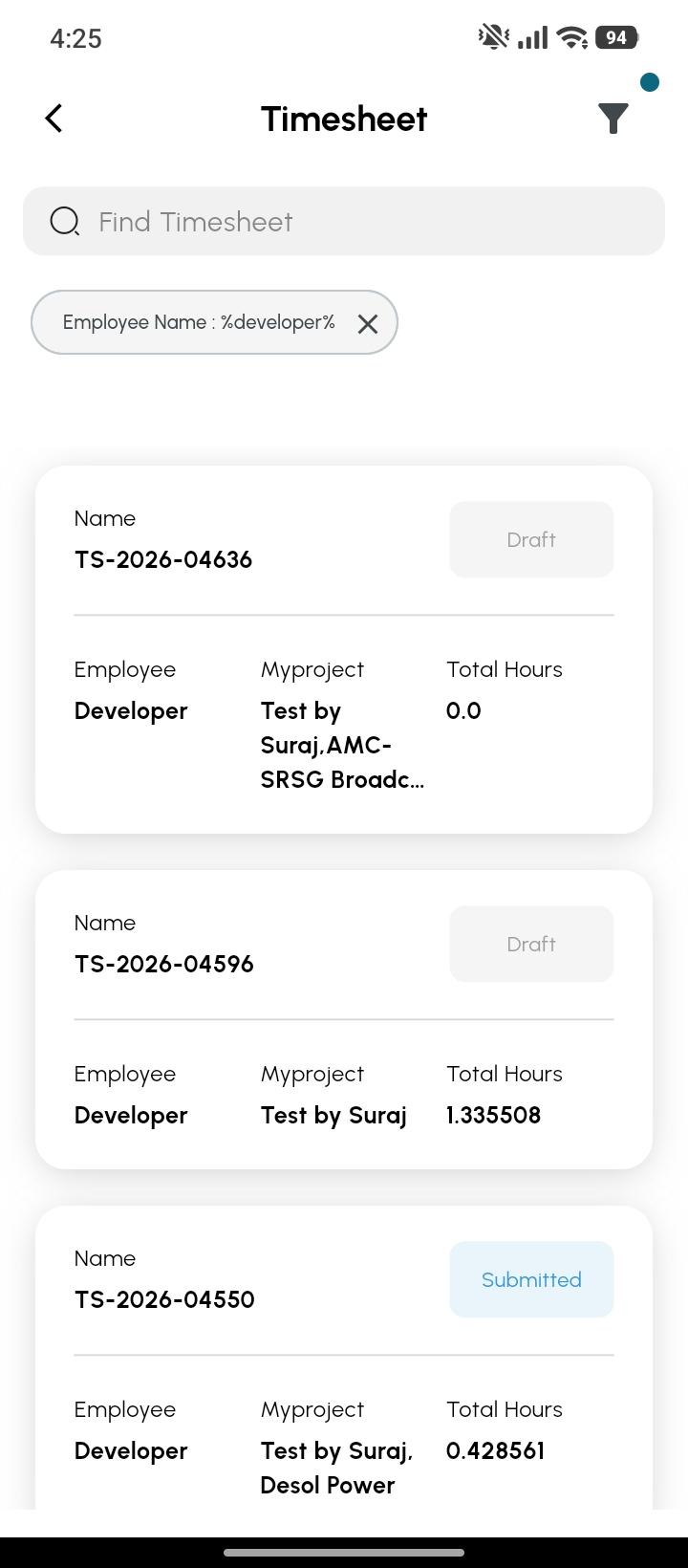
Detailed Timesheet Preview
Users with appropriate permissions can view detailed previews of timesheet entries.
Preview Includes
Employee information
Task details
Work descriptions
Progress percentage
Working duration
Task status
.jpeg)
Task Start/Stop Functionality
The application provides a Start/Stop mechanism for task execution through the top-left menu action.
.jpeg)
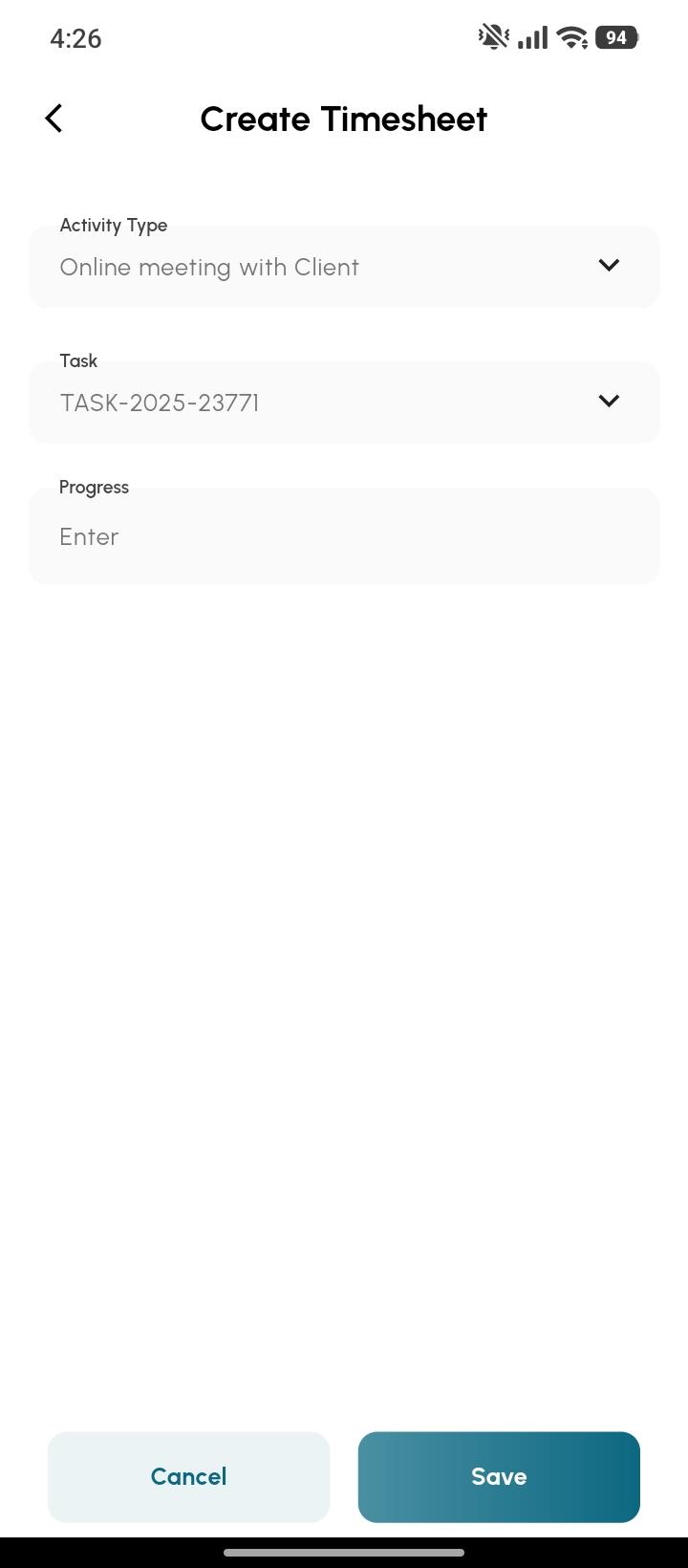
Workflow
Start Task
Users can:
Select the assigned task for the day
Start task execution
Stop Task
While stopping a task:
User must provide the work progress percentage
System validates mandatory progress input
Validation Rule
If progress percentage is not entered:
System throws a validation error
Task stop action is blocked
Timesheet Line Item Management
For tasks worked on during the session, users are allowed to modify existing task entries.
Editable Fields
Users can modify:
Task Description
Other editable line item details
.jpeg)
Task Description Validation
Task descriptions are validated to maintain proper work reporting standards.
Validation Rules
Minimum word count: 50 words
Maximum word count: No limit
Validation Behaviour
Submission is restricted if the minimum word count is not met
Real-time validation feedback is displayed to the user
.jpeg)
Line Item Restrictions
The module enforces controlled task entry creation.
Allowed Actions
Modify existing task line items
Delete task line items if required
Restricted Actions
Users cannot manually add new line items
New task entries can only be created using the Start/Stop functionality
This ensures:
Proper work tracking
Controlled timesheet generation
Accurate task duration calculation
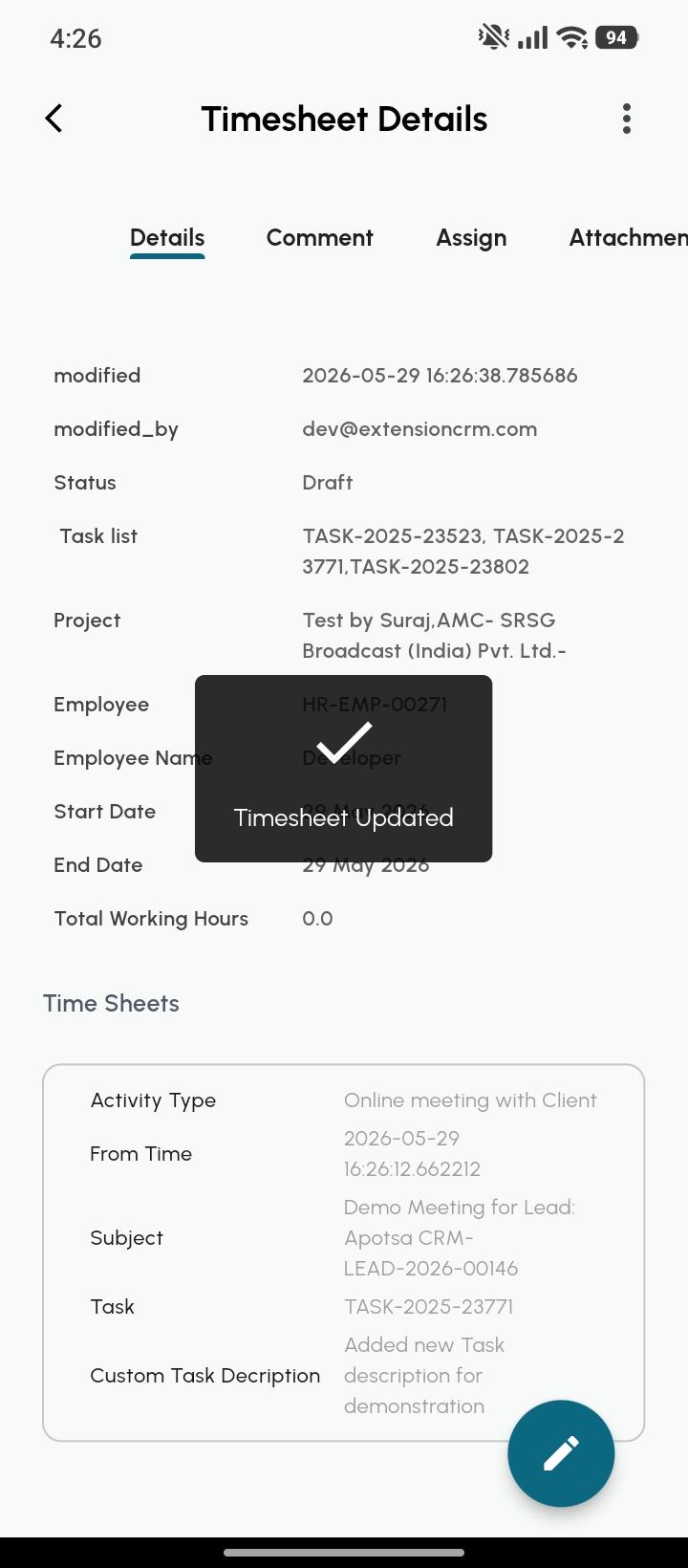
Automatic Submission Workflow
Once all validations are satisfied:
Drafted task entries become eligible for automatic submission
Submission Conditions
All task line items must satisfy the 50-word validation
Mandatory fields must be completed
Progress percentage validation must pass
Plagiarism Detection
The system includes automated plagiarism handling integrated through Frappe REST API responses.
Functionality
Task descriptions are validated against plagiarism checks
API responses are automatically processed
Duplicate or suspicious content handling is managed within the workflow
Functional Flow
End-to-End Workflow
User opens Timesheet Module
Role-based permissions determine visible records
User filters timesheet records if required
User views detailed timesheet preview
User starts assigned task
User performs work
User stops task with mandatory progress percentage
User modifies task details if required
Task description validation checks minimum 50 words
User may delete line items if necessary
Manual addition of line items is restricted
Plagiarism validation is performed through Frappe REST API
Eligible draft timesheets are automatically submitted
Technical Highlights
Built on Frappe Framework
Role Profile-based access management
REST API integration for plagiarism handling
Controlled task lifecycle management
Validation-driven submission process
Mobile-first workflow implementation
Business Benefits
Accurate employee work tracking
Controlled and validated timesheet submissions
Reduced manual monitoring effort
Improved reporting quality
Prevention of low-quality or duplicate task descriptions
Streamlined employee productivity tracking